Posts

Blog Post #8

Image
As chapter 4 explains, adaptive technologies can support and assist the needs of students with these diverse disabilities needs. I have seen a variety of these technologies in elementary schools I have shadowed in but also when I was involved in the Best Buddies club at my high school, in which students were paired with students with disabilities. I have personally seen the technology used to create a voice for students who cannot speak. I have also seen different technology apps used through tablets, computers, and mobile phones to help children who cannot hear well, are not fluent in the English language, and much more software to help. Some challenges I can think will occur when using adaptive technologies in a future classroom, are they being a distraction for other students, whether they are just simply not doing the same things and other classmates might get curious on what that student is doing. Or if audio is played aloud, it could distract others. A problem that may be a more...
Blog Post #7

Image
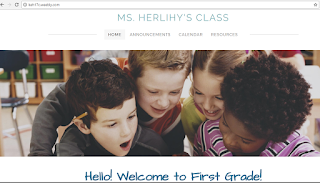
So far, using Twitter as an educational tool is still new to me. I cannot think of any specific things I’ve learned a lot from using Twitter but as I continue to use it, I am getting more used to how to use it as an educational tool and have found some interesting articles that other educational accounts have posted. Personally, with my followers just being my classmates, Twitter is more beneficial for me to use to follow educational accounts and read their tweets and articles more than me using it to inform my followers since I do not really have anything to tweet about. I can see the benefits of Twitter for teachers to use to share lesson plans and announcements. I really enjoyed using Weebly.com when completing the Web Page Design assignment! Weeby.com is easy to use and helped make information on my website very easily attainable and displayed creatively and uniquely. I learned the skills of Weebly.com when making my website, such as adding text boxes, inserting hyperlinks and c...

Blog Post #6

I picked Florida State University Schools as the website I visited to look at class pages because that is the Elementary School I go to for observing. The school website was easy to use, I went to the Elementary School department and picked a Kindergarten grade teacher, Ms. Broome . Her website consists of multiple pages of information. There was a welcome page, about the teacher page, general information page, weekly newsletters, monthly snack calendars, homework, and an online resource page. Each page had information for parents and students to learn more about Ms. Broome and her classroom. In the welcome page and about teacher page, it included information about her background and her contact information. The general information page includes her class schedule, field trip dates, and curriculum maps. The weekly newsletter and snack calendars are pages for the parents to informed on what their child needs and is doing. I found Ms. Broome’s website very organized and informative. H...

ILP 1 "Participation" - Lynda.com

Image
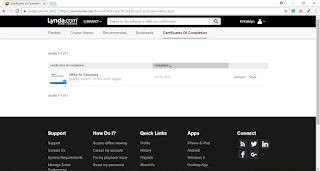
Lynda.com                                                            Course: Office for Educators I completed a course on Lynda.com about technology for Educators. I picked this course because I felt it would be most useful for me in the future. The activities I completed in this lesson was I watched a bunch of videos and completed challenges to test what I learned. I really enjoyed the use of the website and course, it was easy to use, very informative, and fast. I learned skills in the course in the programs Word, Excel, and PowerPoint. I found the Excel section the most interesting as it gave tips to help organize a gradebook to make a table to organize assignments and students by color...

Blog Post #5

Some Web 2.0 technologies are useful for the classroom to allow resources for students to interact and share with each other. Tools such as blogs and Diigo are great websites for students to post on and allow other students to read and comment on their classmate’s post. These Web 2.0 websites are easily assessable and user-friendly and also allows teachers to see and comment on posts as well. I do not personally think twitter and wiki are going to be tools I will use in my classroom. I would not use Twitter as an educational tool because it limits characters count and is too informal in my opinion.  I would not use Wiki in my classroom because I find the website confusing, it is not as assessable and is harder to use. A new, interesting Web 2.0 tool I found was Kidblog. Since I am going to be an elementary school teacher, this is a great, simple tool for younger students to create their own blog. This website not only allows the student’s teacher to engage in their blog but also...

Blog Post #4

        Although I have and used a personal twitter for a while now, this is my first time using a twitter for educational purposes. Since this is only the second week using this twitter account, I have not really interacted with a lot of different accounts. I do follow several verified education accounts and I have seen their tweets along with my classmates. I have not yet found it beneficial, but I do hope that that will change as I continue to use it. Since my future career is Elementary Education, using Twitter will not be super helpful to apply it in my classroom but I can use it to stay up to date on education news and a good place to see opinions on subjects, lessons, and articles.         A digital divide affects student’s success in schools in their access to references for knowledge and skills. The podcast explains how students who have computers and internet access at home are more likely to have educational success than students who d...

Blog Post #3

         There are a lot of ELA technology standards for teaching ranging from multimedia, context clues, and digital media. I feel I am prepared in some topics of technology that is used in schools, especially have just been in high school and currently in college where some of the same technology is used. For example, I feel I am prepared to teach “SL.5 Use Digital Media,” “W/WHST.2 Write to explain/inform,” and “RI.5 Text Structure: Informational Text,” as some examples. Although I feel I know a lot about technology, it varies with grade level and also what technology is added to the standards so I feel I wouldn’t be as prepared to teach “RL.7 Multimedia Literature” or “W/WHST.8 Use Multiple Sources.”          I would like to use a lot of technology in my classroom, especially because by the time that I am a teacher, technology will continue to advance. I think it is important for students to have a wide variety of experience in te...